ClearJet
× CDL
Digitizing and validating a manual middle-mile + last-mile carrier workflow for a 3PL warehouse — cutting California to New Jersey delivery from 4–5 days down to 1–2 days.
The Business
Problem
A 3PL company with warehouses across the USA was relying on ground shipping from California to New Jersey — a journey of 4 to 5 days. ClearJet, a zone-skip air carrier, combined with CDL for last-mile delivery offered a drastically faster route. The catch: the entire workflow lived in Excel spreadsheets, outside the WMS, with zero validation and zero visibility.
Packages were manually scanned into Excel, placed into Blue Bags, and details were emailed externally to receive AWB numbers and Lot Labels. Any error went undetected until it was too late — and a missed bag closeout meant missing a flight, with no recovery possible the same day.
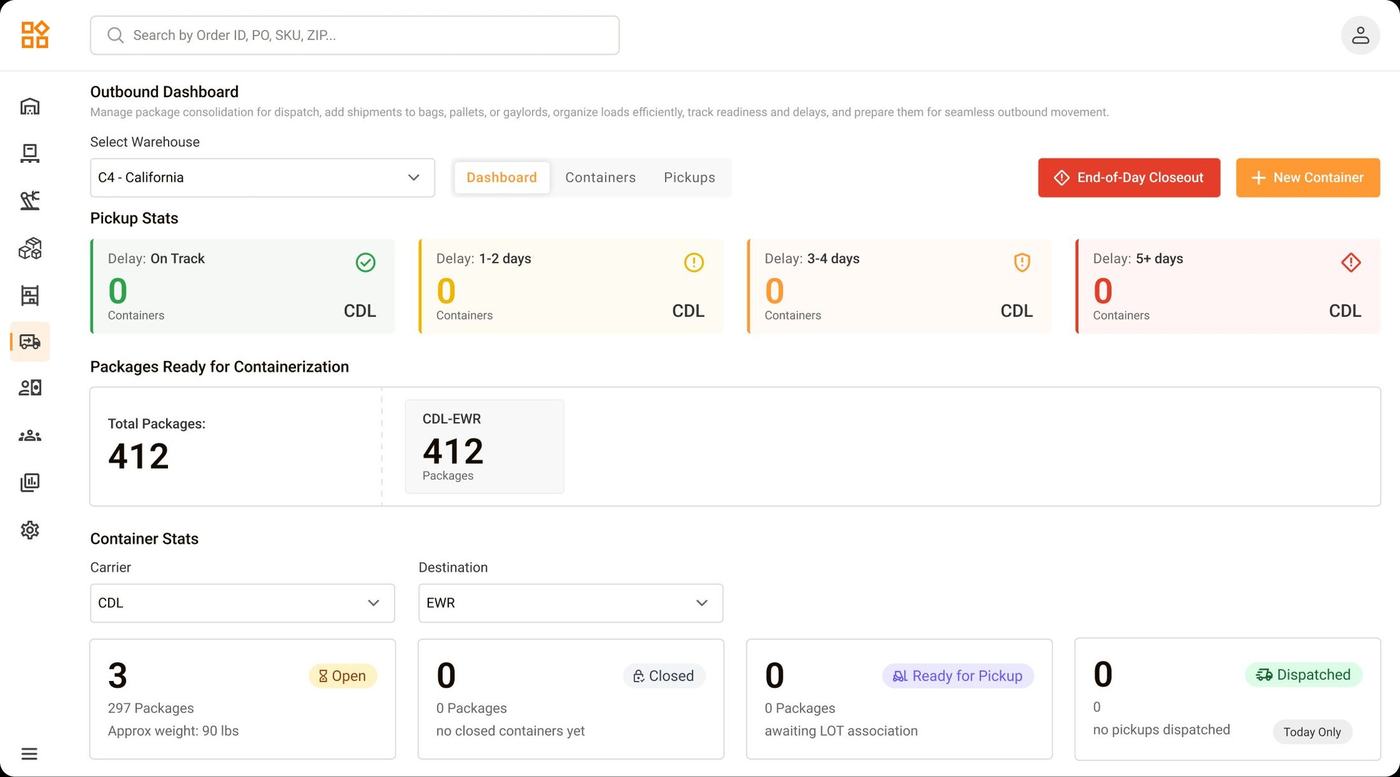
The Outbound Dashboard gives supervisors real-time visibility into all containers, pickup stats, and delay indicators across the C4 California warehouse.
What Was
Broken
No Scan Validation
Packages going to different destinations or with different carriers could be scanned into the wrong bags. No guardrail existed at the point of packing.
Excel Dependency
All bag and package data lived outside the WMS in spreadsheets — disconnected from the system of record with no traceability.
Manual Communication
Ops manually compiled bag details and emailed ClearJet externally to receive AWB and Lot Labels — slow, error-prone, with no audit trail.
Missed Pickups
Workers focused on filling bags had no awareness of arriving drivers. Bags weren’t ready in time — and a missed bag means a missed flight with no same-day recovery.
Unlike a typical shipping delay, missing the bag closeout window means missing a flight connection. The bag waits for the next available flight — directly impacting customer delivery commitments.
Who I
Designed For
Oversees the full pickup lifecycle
- Needs real-time visibility into all containers and statuses
- Initiates AWB and Lot Label requests to ClearJet
- Confirms packages and uploads AWB documents
- Manages end-of-day closeout for the entire floor
- Previously doing all of this via Excel and external email
Handles physical scanning & packing
- Opens bags and scans packages via barcode scanners
- Needs instant, unmissable feedback on every scan
- Associates received Lot Labels to bags via scanner
- Previously had no guardrails preventing wrong scans
- Had no time awareness — unaware when drivers arrived
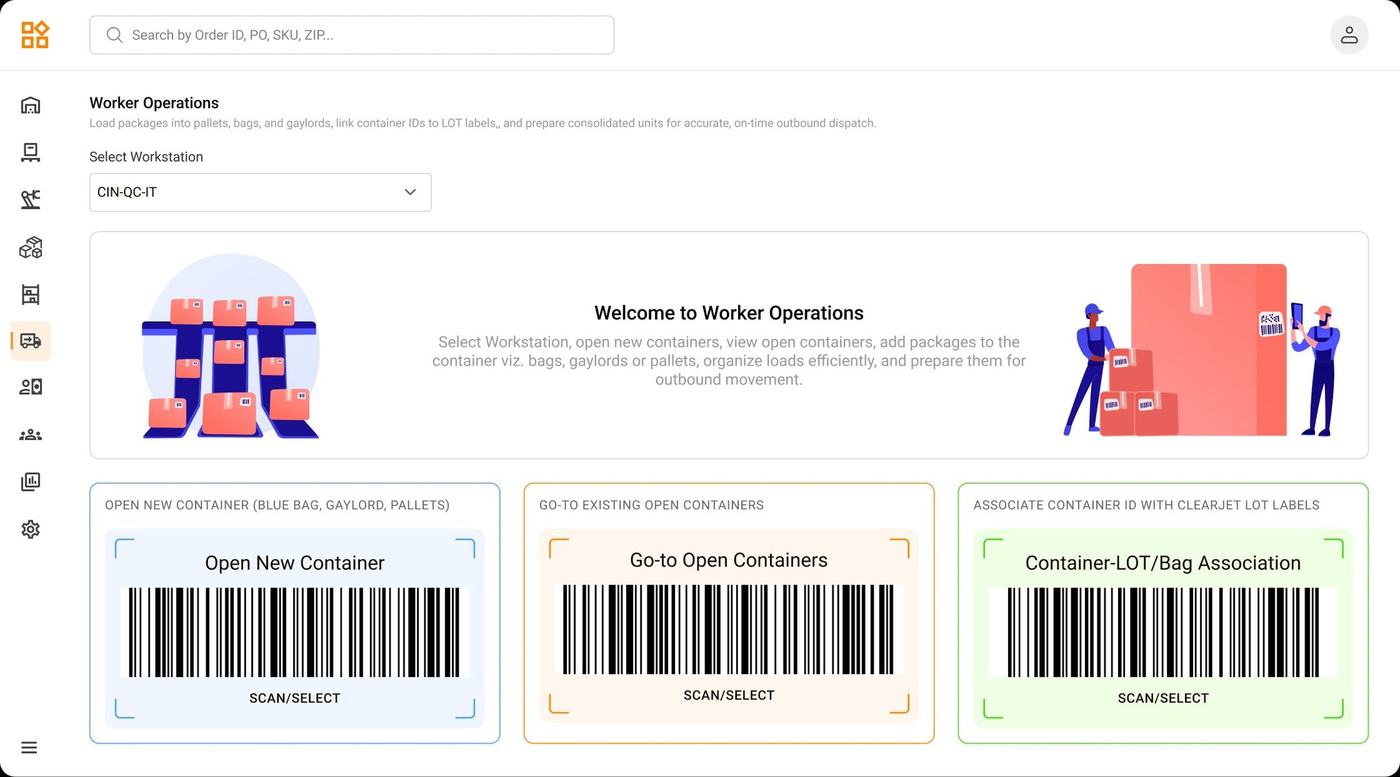
The worker landing screen is intentionally focused — three clear barcode-driven actions. Workers scan to navigate, not click through menus.
The New
Workflow
The redesigned process brings the entire carrier workflow into the Internal WMS — with role-based views, real-time scan validation, and a time-aware closeout mechanism that keeps the entire floor aligned.
Screens That
Tell the Story
Structured container setup — no room for error
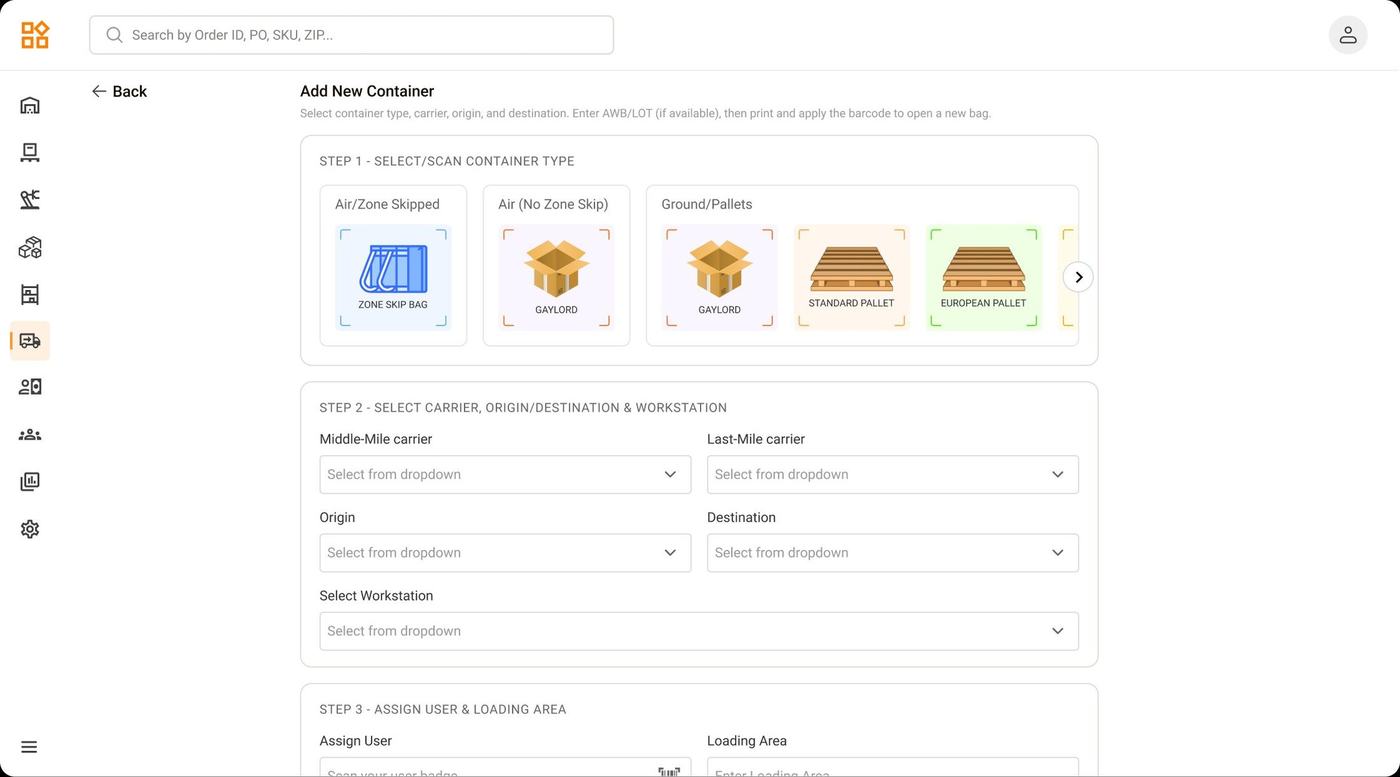
Container creation is a guided 3-step form: select type, assign carrier and destination, then assign the worker. Every bag is fully configured before a single package touches it — the root cause of most previous errors.
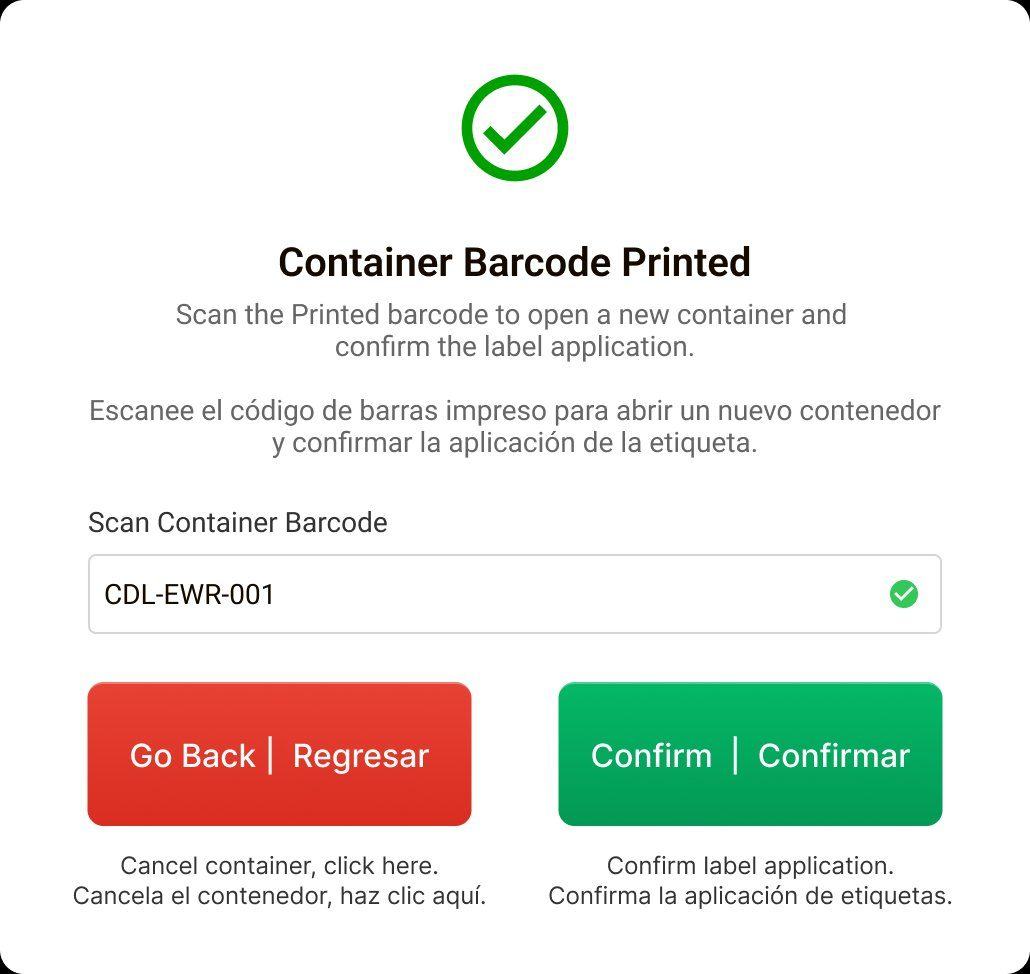
Physical-to-digital handshake
After printing, the worker physically applies the barcode label to the bag and scans it back into the system to confirm. This creates an unambiguous link between the physical bag and its digital record — a step that simply didn’t exist before.
Scan Validation —
Unmissable by Design
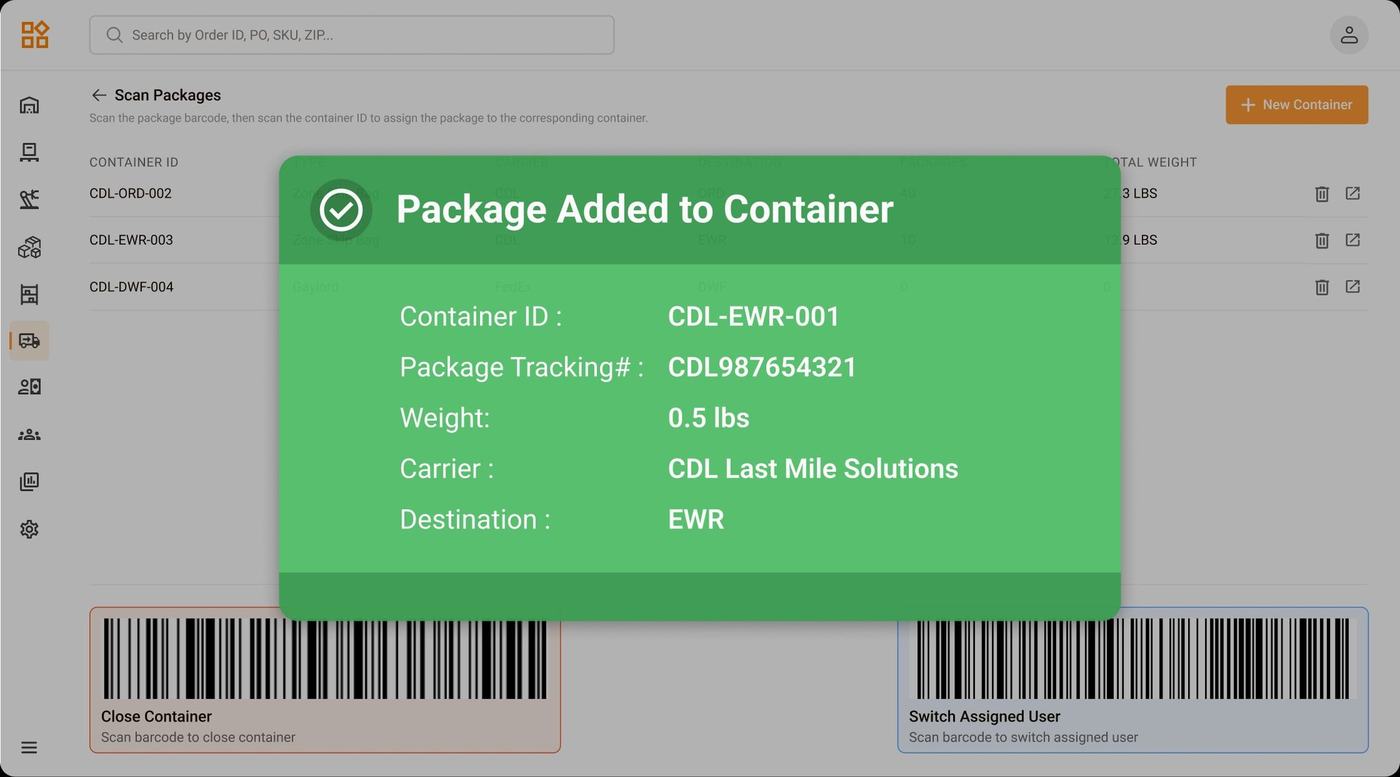
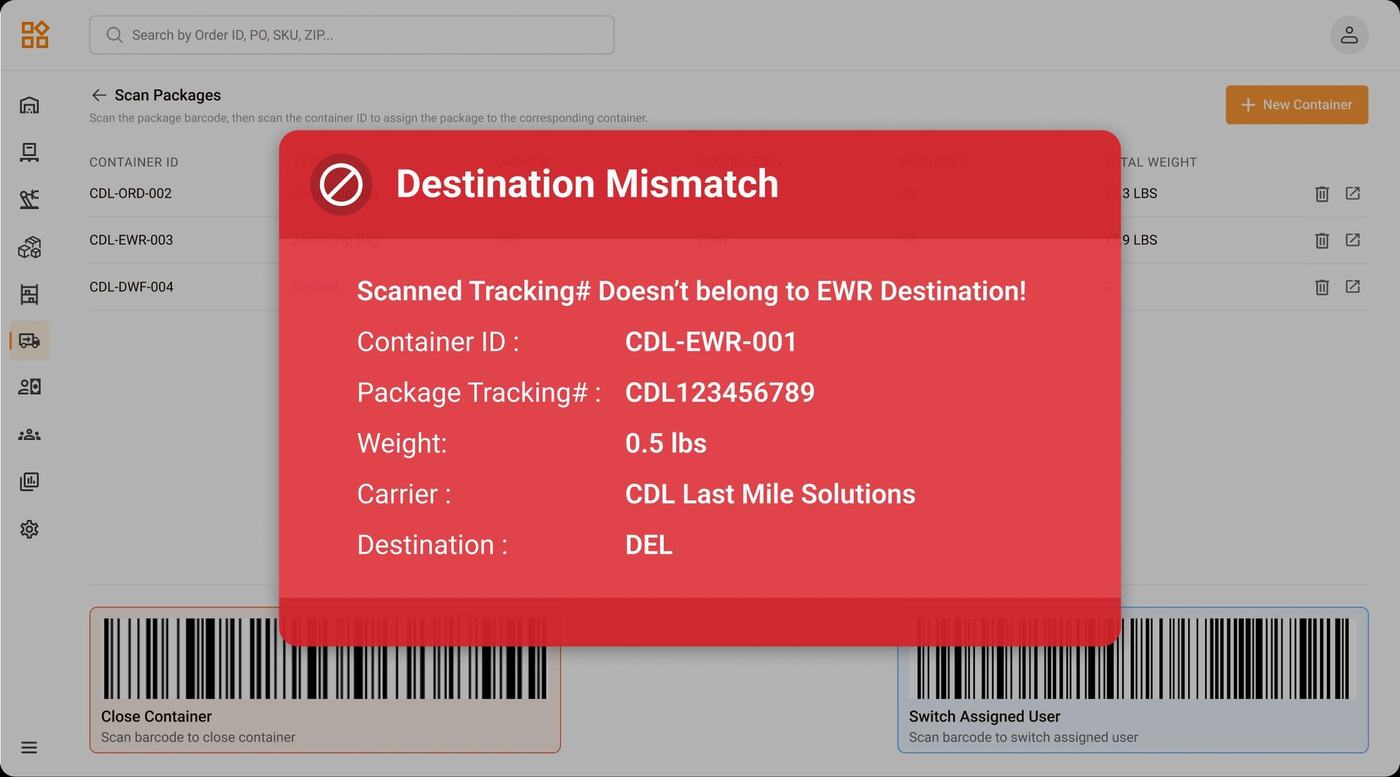
Warehouse screens are viewed at a distance during fast-paced scanning. A small toast or inline error wouldn’t work. The feedback is full-screen — impossible to miss, impossible to ignore.
One workspace, multiple open bags
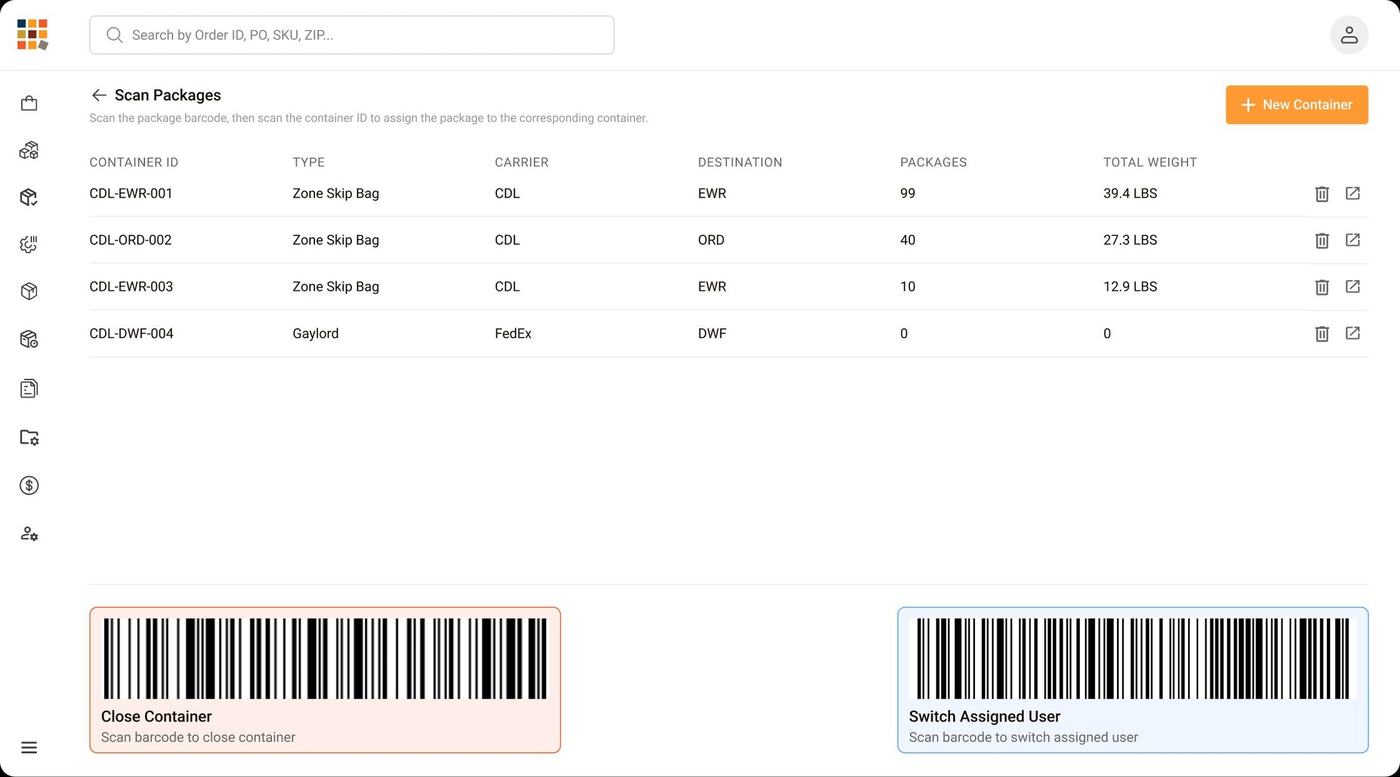
Workers scan each package straight into its assigned container — and several bags can stay open at once, one per destination or carrier. The active container list keeps every open bag in view with live package counts and weights, while the Close Container and Switch Assigned User barcodes let a worker seal a bag or hand off to a teammate without leaving the screen.
Bilingual close flow for a multilingual floor
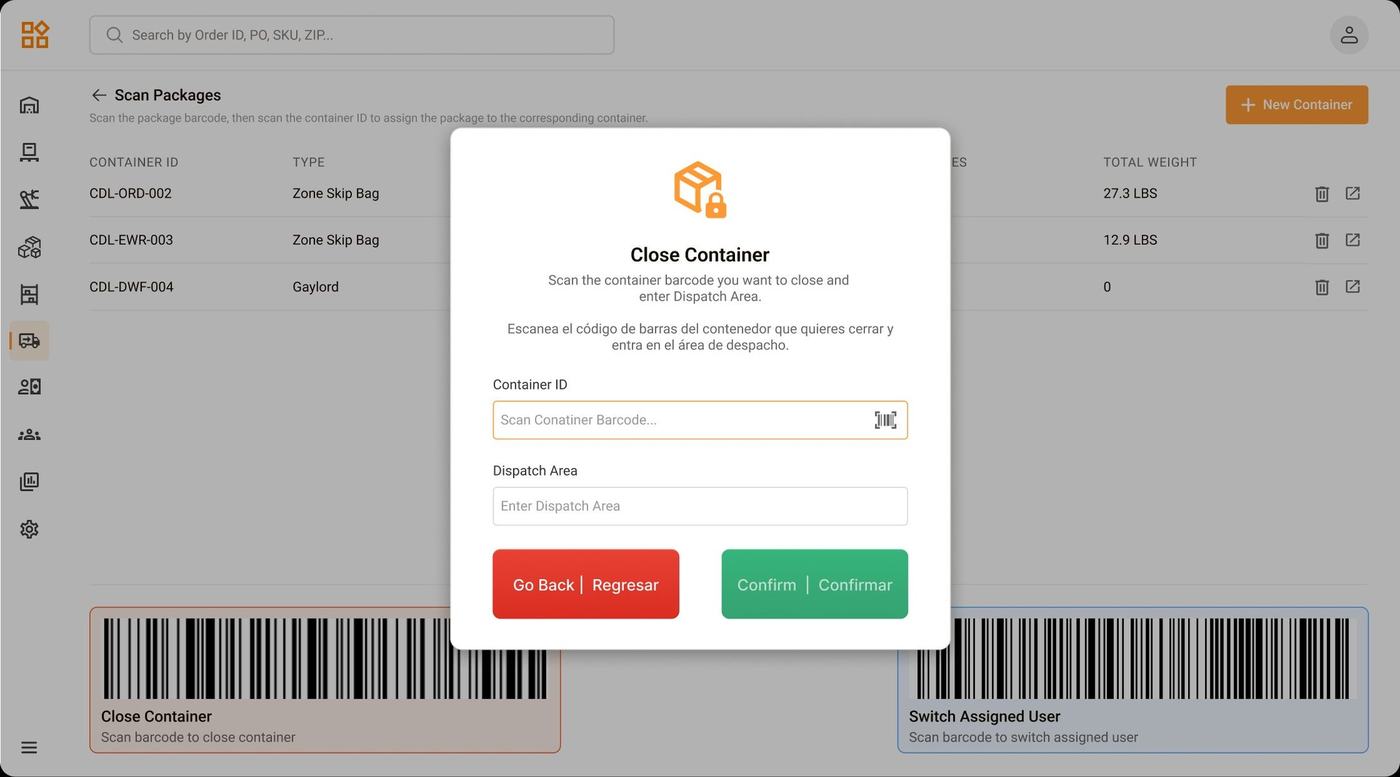
Workers scan the container barcode and enter the dispatch area to seal it. All worker-facing interactions are in English and Spanish — reducing miscommunication on a multilingual ops floor.
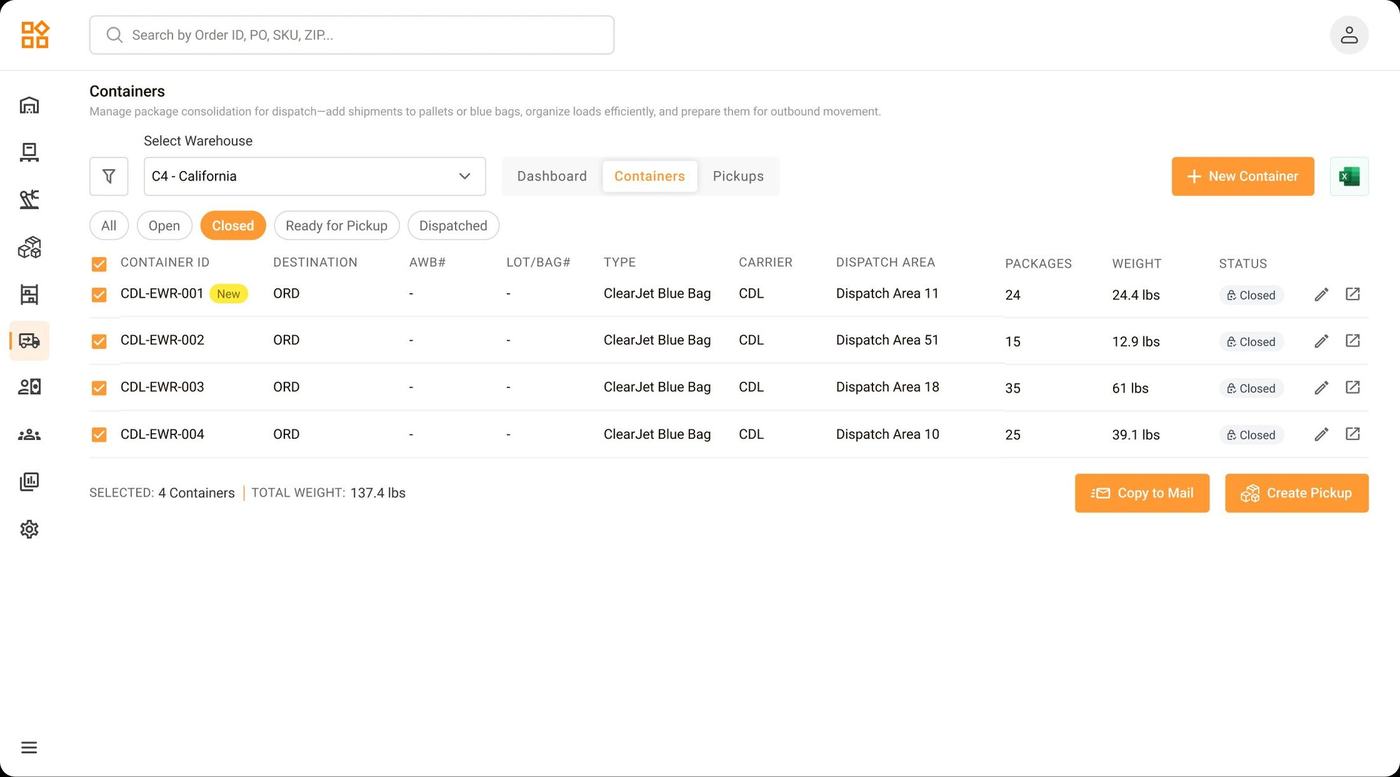
Supervisor selects closed containers and triggers “Copy to Mail” — all bag and package details are auto-populated in the email body. This single button replaced manual Excel compilation.
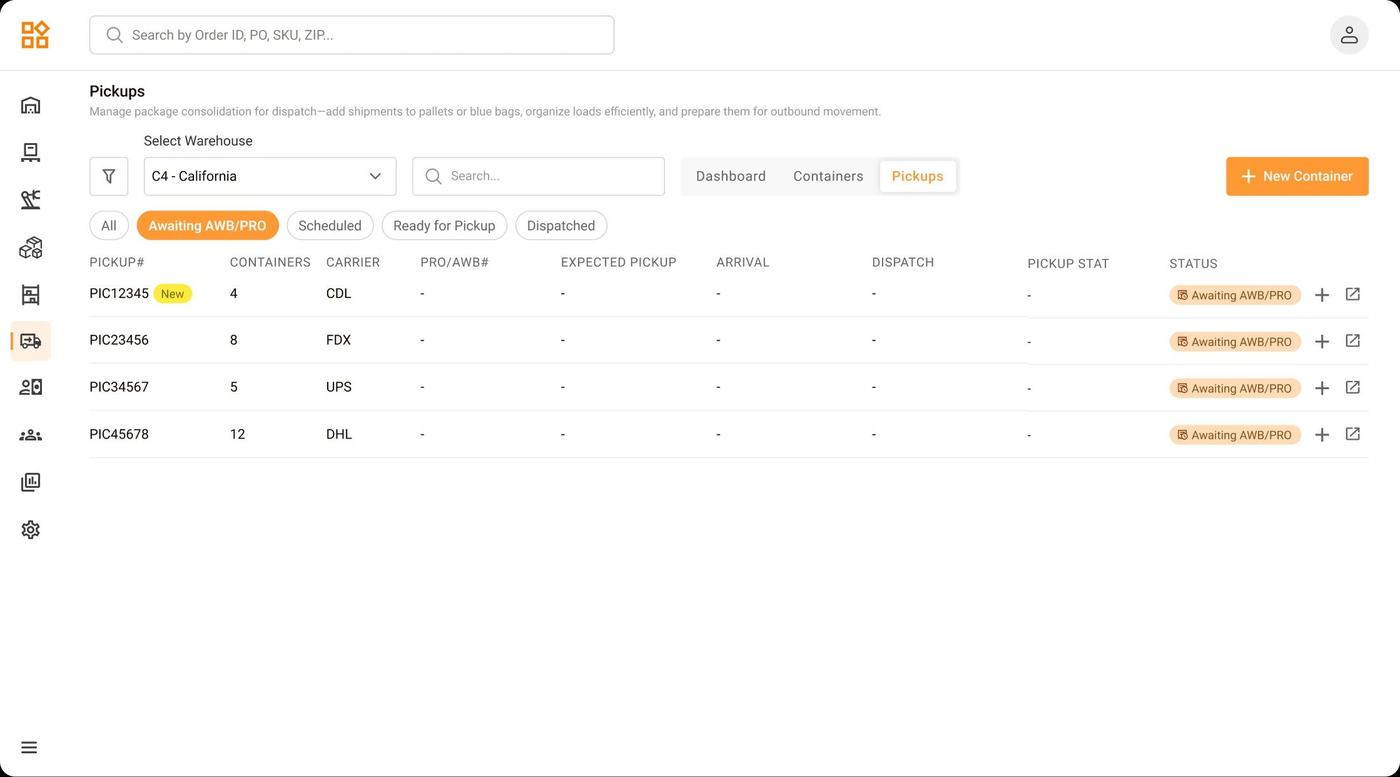
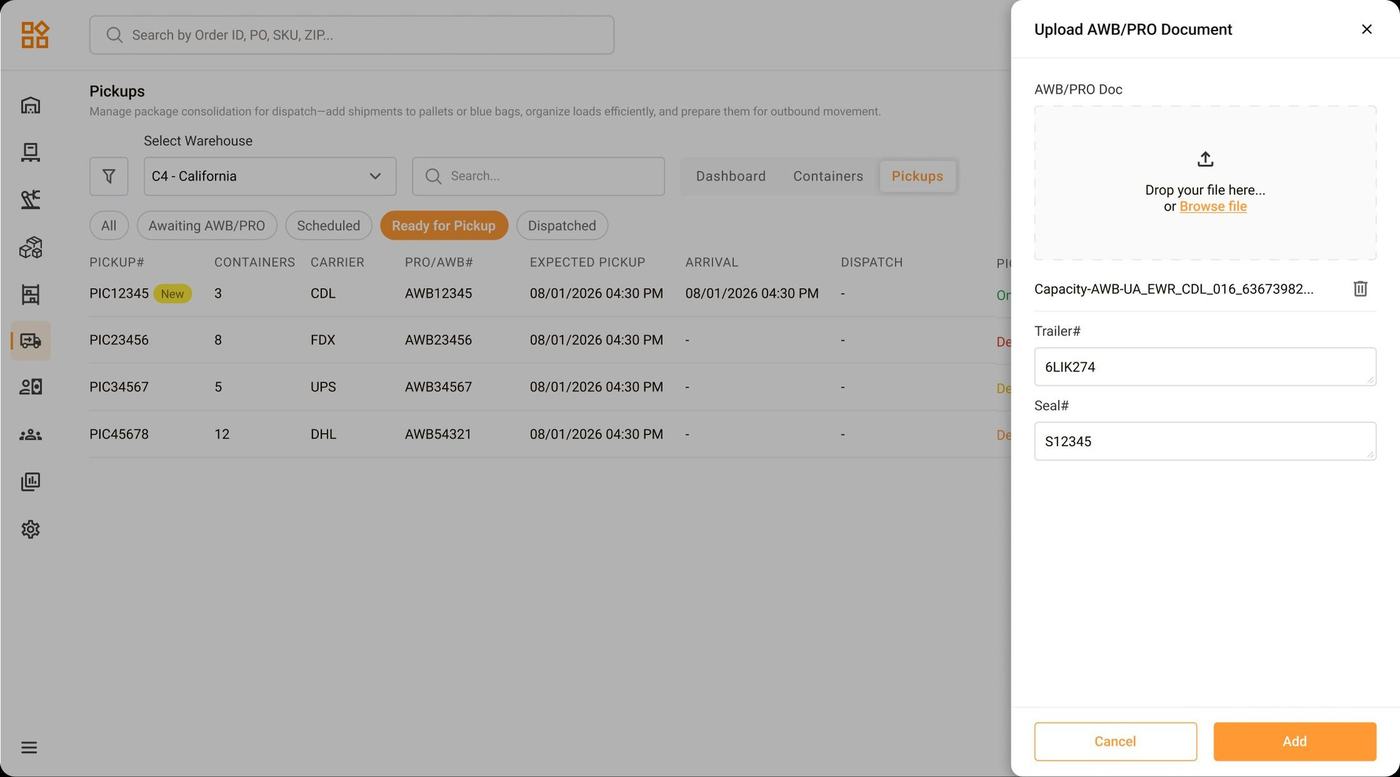
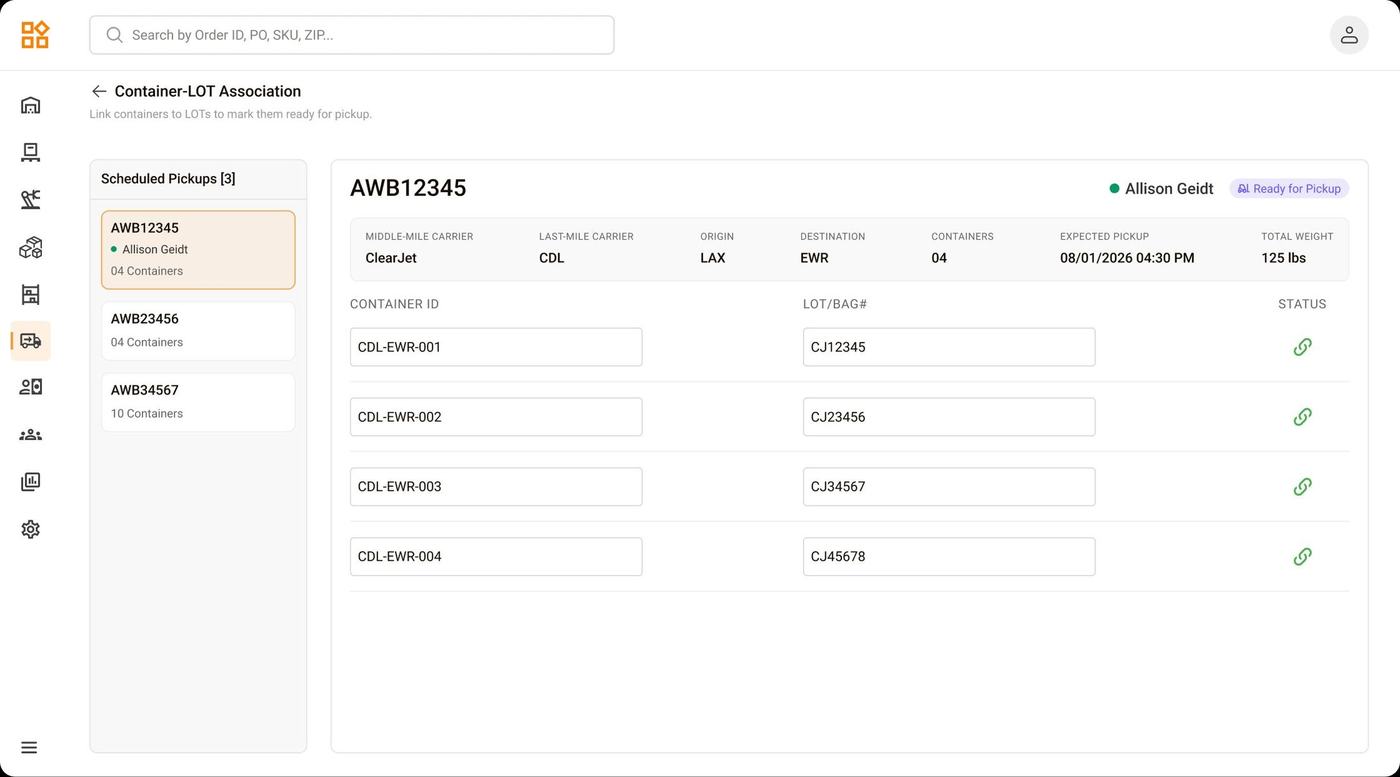
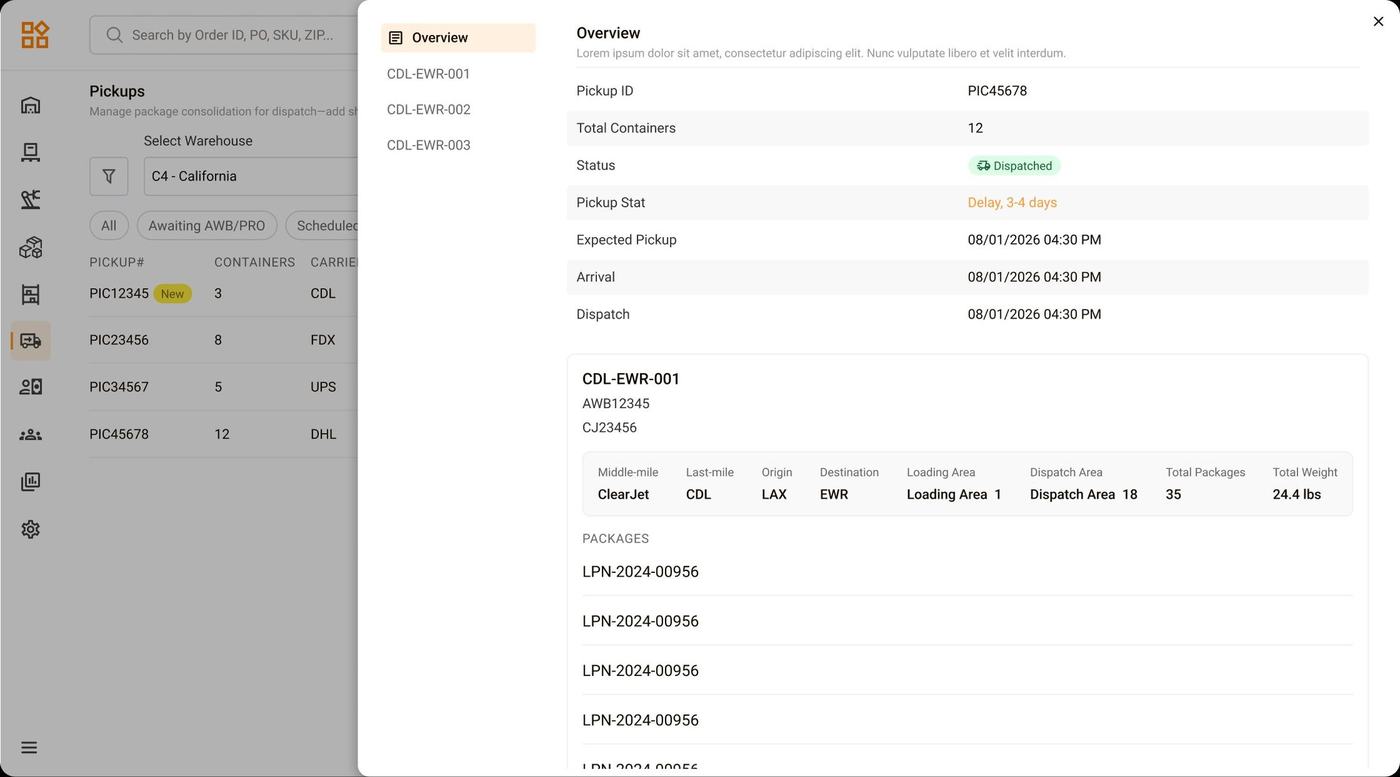
Lot labels are scanned against each container to link them digitally. Supervisors can drill into any pickup for full traceability — carrier, destination, weight, and individual tracking numbers.
End-of-Day
Closeout
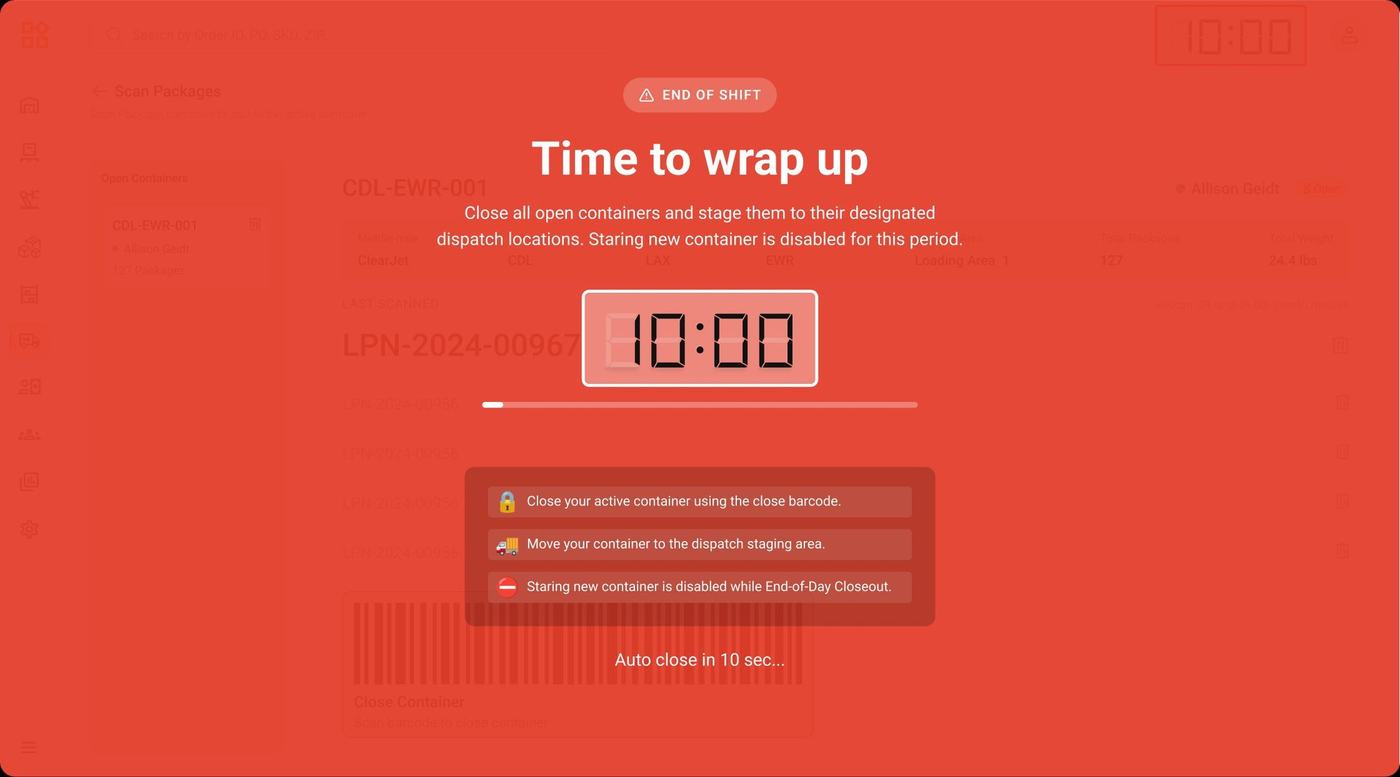
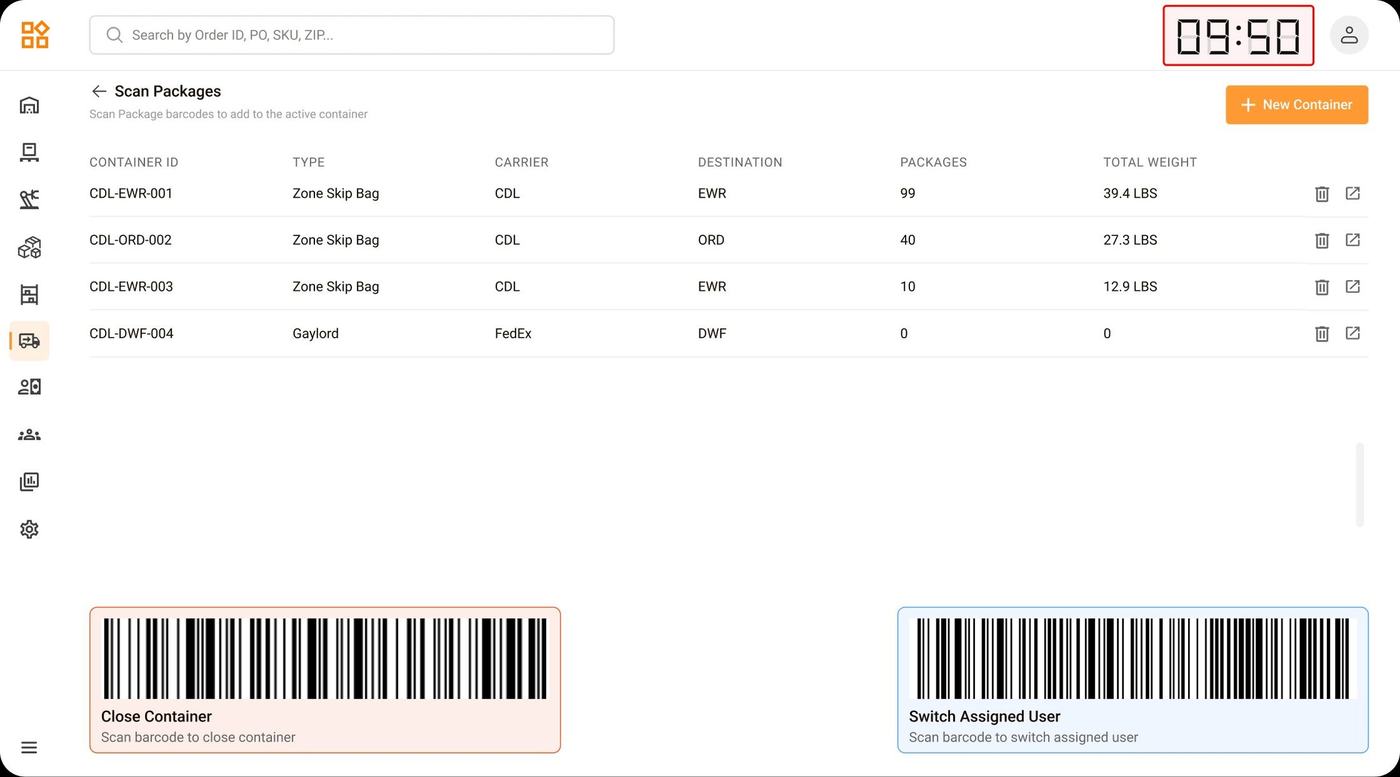
Workers in packing mode lose track of time. The EOD Closeout creates a shared, floor-wide sense of urgency — locking new container creation and giving the entire team a clear window to close, stage, and hand off bags before the driver walks in.
V1 → V2
AWB Request Flow
The communication step between ops and ClearJet saw a meaningful improvement after the first version went live and real friction surfaced.
Outcomes
What I
Learned
The biggest challenge wasn’t the design — it was aligning stakeholders on why the Excel process needed to change at all. Ops teams had deep muscle memory around the old workflow and were skeptical of moving it into a system. Early conversations focused on surfacing the real cost of errors and manual time lost, rather than leading with the new UI.
This project reinforced that for internal ops tooling, design starts with trust. Getting ops workers to believe the new flow won’t slow them down matters more than the visuals. Prototyping the scan validation interaction and showing it to workers directly was what shifted the conversation.
If I were to extend this further, I’d add supervisor analytics — tracking error rates per worker over time, and flagging repeated wrong scans as a training signal rather than a one-time alert.